Clinic Appointment Scheduling: Methods That Work
How to organise clinic appointment scheduling: phone, walk-in and online booking compared, waiting list management and must-have features.

For clinic appointment scheduling, good software brings phone, walk-in and online bookings into one calendar, controls the capacity of each shift and keeps the day's queue in sync between receptionist and doctor. The result is less waiting for patients and a calmer day for the practice.
Common booking methods
- Phone booking: still the most common method. Its problems are busy lines and manual entry errors.
- Walk-in: the patient arrives on the day and joins the queue. Without structure, it creates long queues and frustration.
- Online booking: the patient picks a time themselves. Useful for busy practices, but it must match the practice's real capacity.
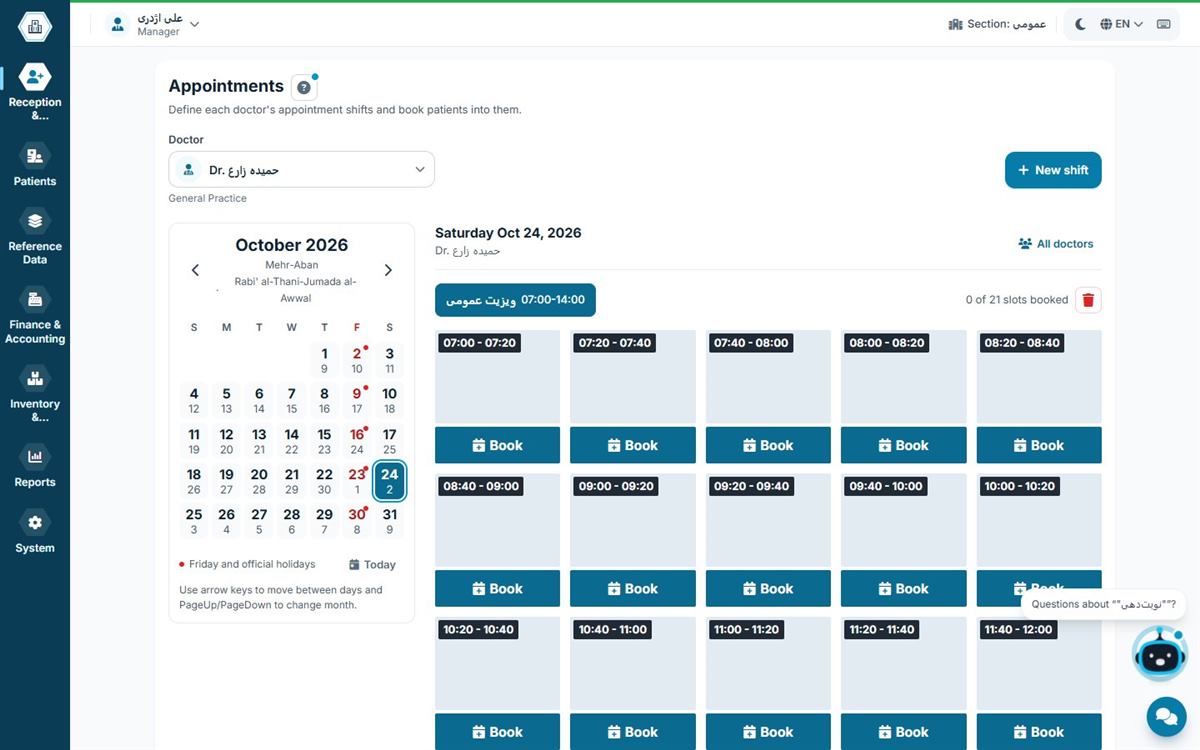
Most practices use a mix of all three, so the software must show them in one calendar to avoid duplicate or overbooked appointments.
The waiting list: the heart of the practice day
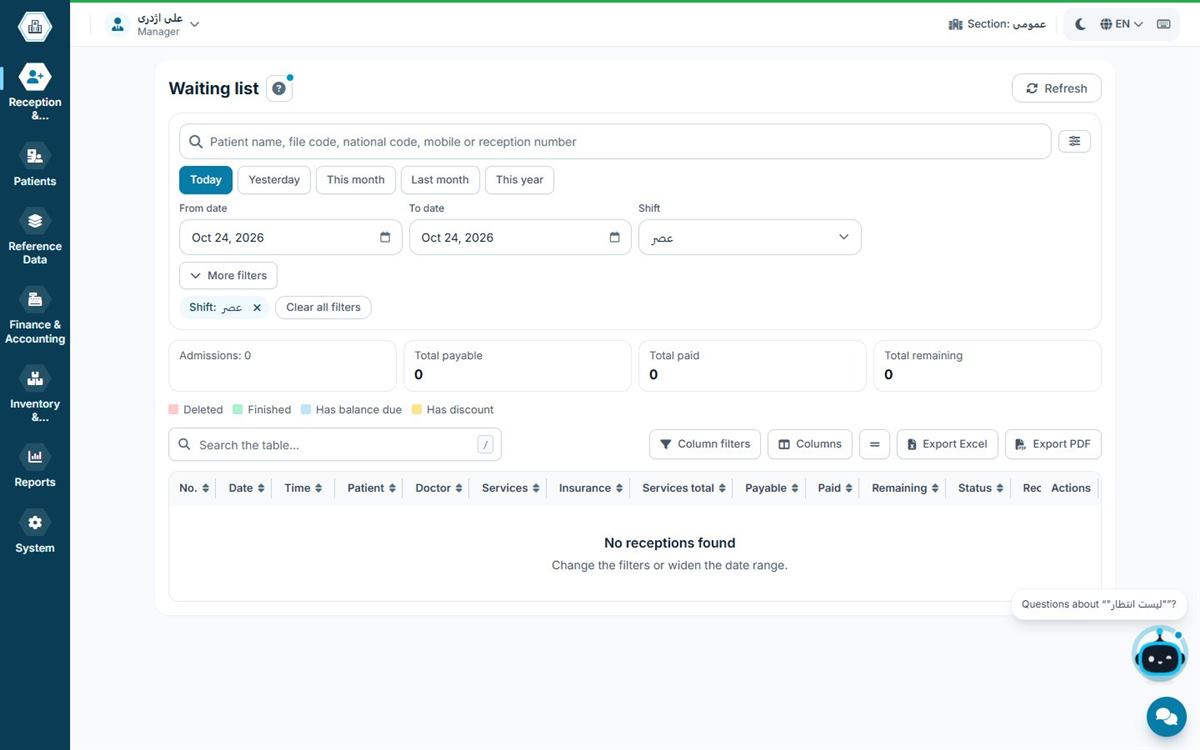
The waiting list should tell the doctor who is ready and tell the receptionist when the doctor will see the next patient. Showing queue numbers on a separate screen in the waiting room cuts down on repeated questions from patients. In practices with several computers, the list must update on every computer at the same time.
Features of good scheduling software
- Shifts and capacity defined per doctor
- Protection against duplicate bookings for the same patient
- Turning an appointment straight into a check-in, without re-entering data
- A shared waiting list for receptionist and doctor
- Queue numbers displayed on several screens
- Reports on completed and cancelled appointments
How to set the capacity of each shift
The right capacity keeps patients from waiting without leaving the doctor idle. A simple method:
- Measure each doctor's average consultation time over a few real days.
- Divide the shift length by that time.
- Keep about 10–15% of capacity free for urgent and walk-in patients.
- Define separate time slots for longer services such as treatment sessions.
After a month, review completed and cancelled appointments and adjust capacity.
Reducing no-shows
Patients who book and don't turn up waste the doctor's time and take a slot from someone else. These steps help:
- Reminders the day before and a few hours before the appointment
- Confirmation by asking the patient to reply
- Recording no-show history in the patient's file to inform future bookings
- A standby list so a freed slot is filled quickly
Scheduling in multi-doctor clinics
In a clinic, every doctor has a different schedule and capacity. The calendar should be separate for each doctor, yet the receptionist must see everything on one screen. Showing each room's queue number on a shared screen in the waiting area also reduces patient confusion. More in managing a multi-doctor clinic.
Online booking that is connected to your practice software
Online booking only simplifies work when it is connected directly to the practice software's calendar. Otherwise the receptionist has to reconcile two systems by hand, and duplicate bookings become likely. Online booking that reads each shift's real capacity from the practice software solves this problem at the root.
Reports that improve scheduling
- Completed and cancelled appointments per doctor: shows where capacity is wasted.
- Busy and quiet hours: to move shifts or add capacity.
- Patient waiting time: if it's high, shift capacity exceeds what the doctor can handle.
- Walk-in vs booked ratio: to decide how much capacity to give online and phone booking.
Review these reports monthly and adjust your schedule accordingly.
Common scheduling mistakes
- Separate calendars for phone and walk-in: the main cause of duplicate bookings.
- The same slot length for every service: longer services need more time.
- No standby list: cancelled slots stay empty.
- Not recording an accurate phone number: reminders and change notices become impossible.
- Ignoring each doctor's real consultation time: doctors don't all work at the same pace, so each needs their own capacity.
Scheduling in Hamyarteb
In Hamyarteb, appointments, the waiting list and reception are connected: an appointment becomes a check-in with one key and the patient joins the doctor's queue. Shifts and capacity are defined per doctor, and the queue is identical on every computer on the practice network. If you are a receptionist, also read our medical receptionist guide.
See also: appointment scheduling software.
Frequently asked questions
Can phone and online bookings share one calendar?
Yes, and they should; otherwise duplicate or overbooked appointments will happen.
How does an appointment become a check-in?
In good software, selecting the appointment carries the patient and doctor details into the reception form, leaving only payment.
What is the benefit of showing queue numbers?
It makes waiting predictable for patients and reduces repeated questions to the receptionist.
How effective are appointment reminders?
Reminders before the visit reduce forgotten appointments and give the practice a chance to refill cancelled slots.
How do I set appointment capacity?
Calculate the average consultation time, divide the shift length by it and keep part of the capacity free for walk-ins.