Items and groups
Drugs, consumables and supplies defined with unit, group and minimum stock level.
Hamyarteb inventory keeps track of the practice's drugs, consumables and supplies: define items, record goods received and issued, link purchases to suppliers and practice accounting, and see items that are running low before they run out.
In practices, and especially in clinics and dental offices, drugs, consumables and supplies are a significant part of costs. When stock is tracked by hand, or not at all, items run out mid-session, purchases get duplicated and nobody knows where the money went.
Clinic inventory software shows the stock of every item at any moment, records every movement with its date and user, and links purchases to accounting so the practice's cost reports are real.
Drugs, consumables and supplies defined with unit, group and minimum stock level.
The stock of every item in every store, at any moment, without manual counting.
Receipts for incoming goods and issue notes for usage, with date and user.
Record purchases from suppliers and the amounts owed or paid in accounting.
Items that have reached their minimum level appear in the shortage report.
In a clinic, each department can have its own store and stock.
Move items between the central store and department stores, with source, destination and date recorded.
Purchases and consumption appear in the practice's vouchers and expense reports.
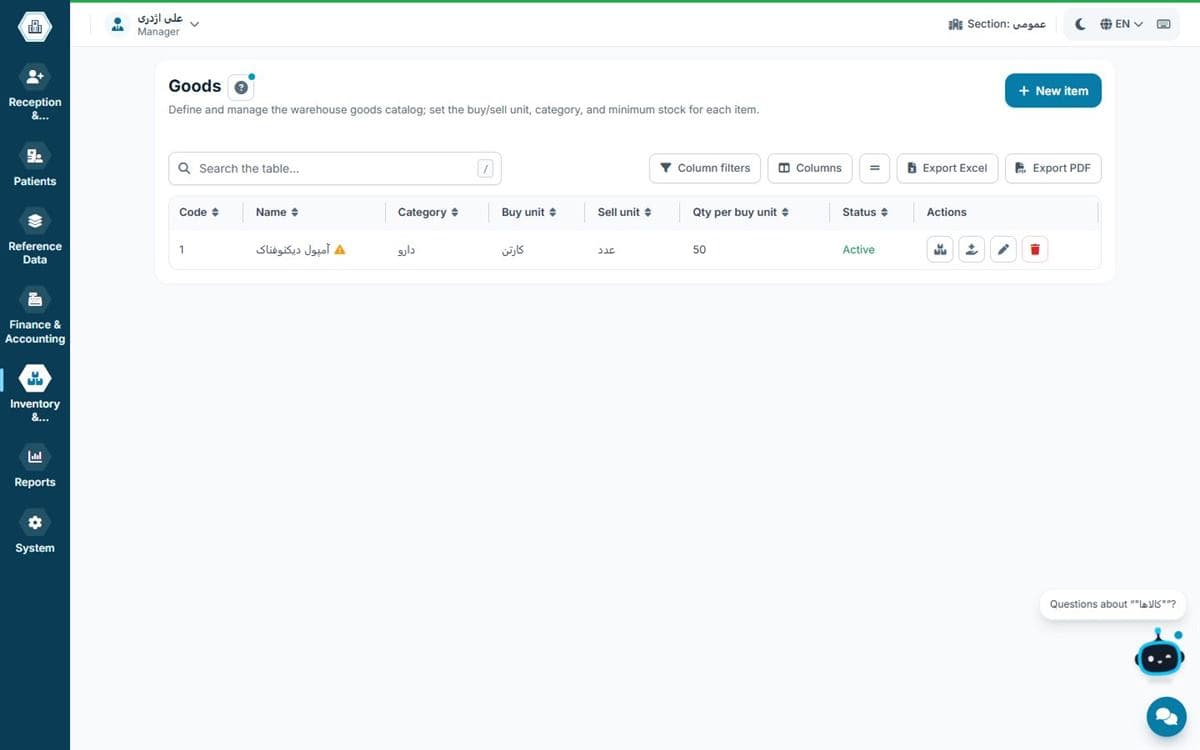
A simple practice usually has one small store. A clinic can keep a separate store for each department. In dentistry, consumables are expensive, so controlling their stock has a direct effect on the practice's profit.
Compare editionsFor new or low-volume practices
For GP and specialist practices
For busy practices and small clinics
For multi-doctor clinics and polyclinics
Rial payments via bank gateway · USDT outside Iran
No; inventory is part of Hamyarteb and is available on every plan.
Yes; each item has a minimum level and items below it appear in the shortage report.
Yes; purchases are linked to the supplier's account and the practice's expenses.
Yes; you can define several stores and see each one's stock separately.
Count your items once and record them as opening stock; from then on stock updates automatically.