Best Clinic Software: A 12-Point Checklist
Check these 12 criteria before buying clinic management software, from check-in speed and offline work to security, support and transparent pricing.

The best clinic management software is not the one with the longest feature list. It is the one that fits the way your practice works, speeds up your receptionist and keeps patient data safe. This checklist covers 12 criteria you should verify before you buy.
Criteria for daily work
- Check-in speed: how many clicks does a full visit take, from finding the patient to settling the bill? Are there keyboard shortcuts?
- Fast patient search: can you find a patient by name, ID number, mobile or file number?
- Appointments and queue: is the waiting list synced between front desk and doctor? Can it show queue numbers?
- Familiar terminology: do menus and labels use the words your staff already know?
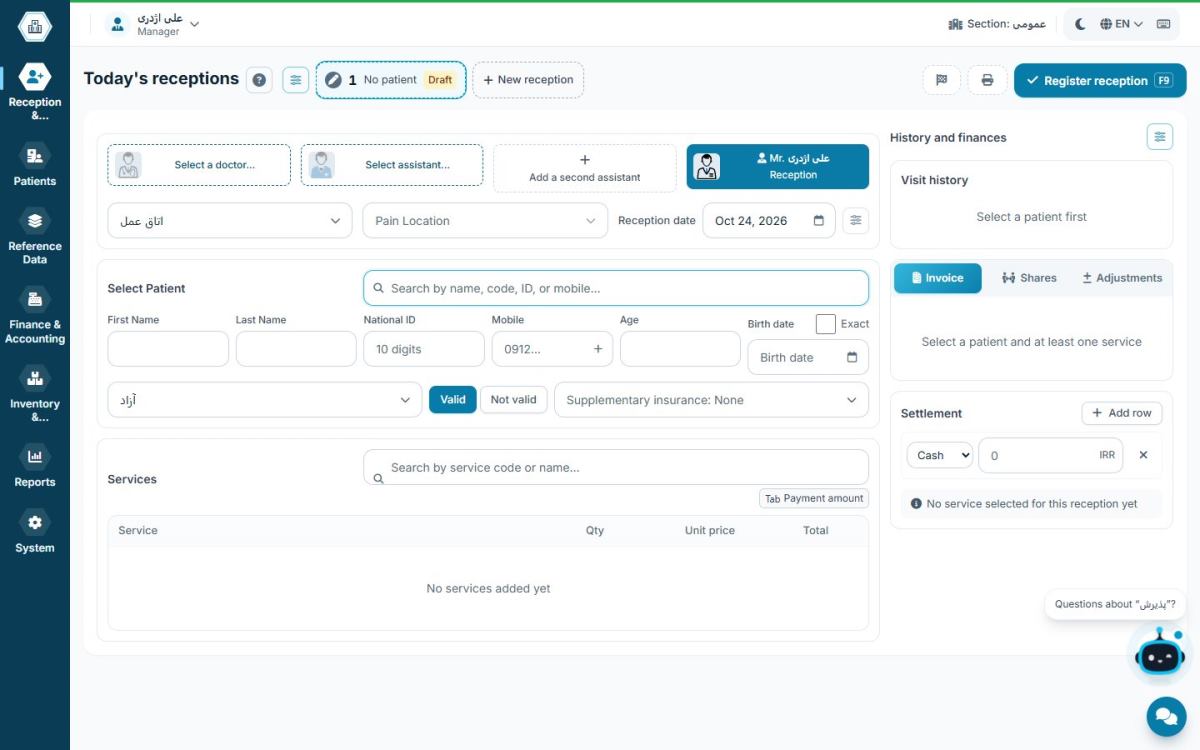
For a fair comparison, ask the vendor to perform a complete check-in in front of you and time it.
Technical and security criteria
- Network operation: can every computer in the practice — reception, consulting room and accounts — work at the same time?
- Working without internet: does reception stop when the internet drops? Compare both approaches in offline vs cloud clinic software.
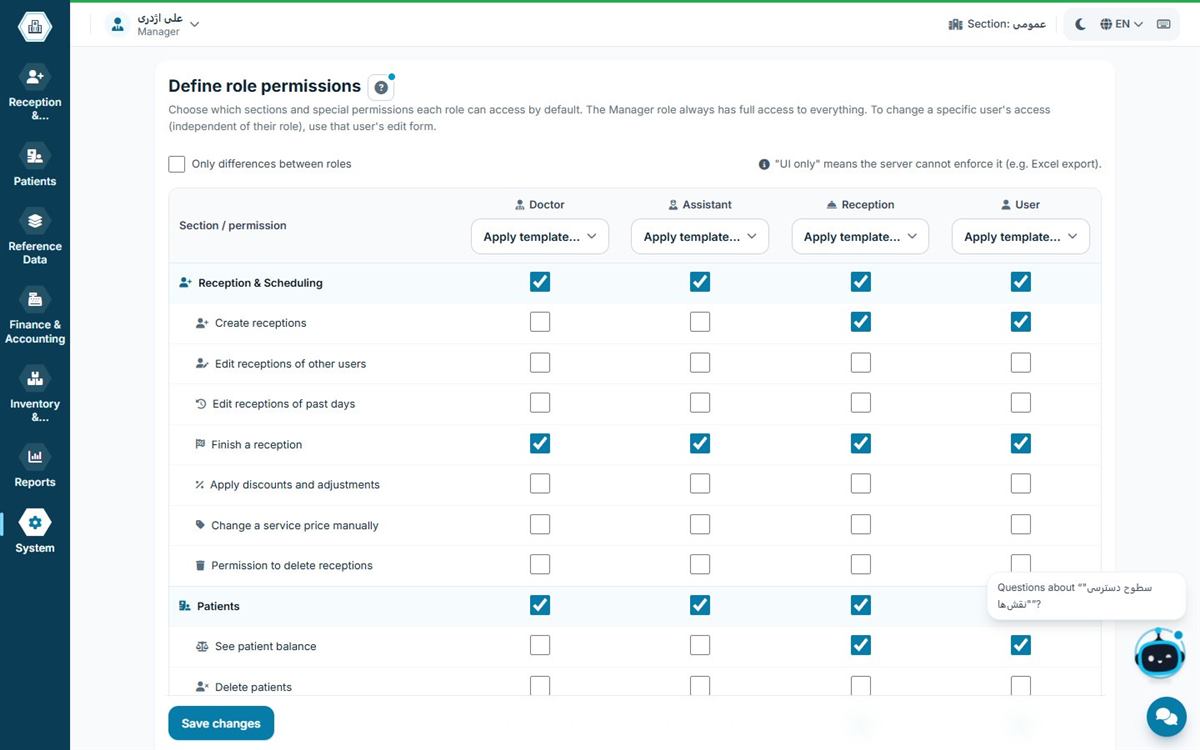
- Security and access levels: does each user see only the sections they are allowed to? Are changes logged? More in patient data security.
- Backups: are there automatic, scheduled backups?
Financial and growth criteria
- Real accounting: does it handle the cash box, cheques, expenses, payroll and doctor shares, or just a daily total?
- Reporting: can you see income by doctor, by service and by period without exporting to a spreadsheet?
- Room to grow: will the software cope when you add a new doctor or department?
- Transparent pricing and support: are there hidden costs, mandatory annual fees or charges per extra computer? When and how does support respond?
A simple way to decide
Score each criterion from 1 to 5 and give double weight to the criteria that are critical for your practice, such as check-in speed and security. Use the free or trial version in real work for at least a week. The receptionist's opinion matters most at this stage, because they spend the most time with the software.
Scoring table for comparing software
To compare fairly, fill in this table for every product you evaluate. Adjust each weight to your own practice.
| Criterion | Suggested weight | Score 1–5 |
|---|---|---|
| Check-in speed and patient search | 2 | |
| Network and offline operation | 2 | |
| Security, access levels and backups | 2 | |
| Accounting and doctor shares | 1.5 | |
| Appointments and waiting list | 1.5 | |
| Reporting | 1 | |
| Support and training | 1 | |
| Transparent pricing, no hidden costs | 1 |
Multiply each score by its weight and add them up. The product with the highest total is the better fit for your practice, even if it is not the most famous or the cheapest.
Questions to ask the vendor
- If the internet goes down, which parts keep working and which don't?
- Where is patient data stored and who can access it?
- Are backups automatic or manual, and how do we restore one?
- If we switch software, in what format do we get our data back?
- Are there extra charges per computer, per user or for annual updates?
- When and through which channels does support respond?
- How is the receptionist trained?
A vague answer to any of these questions is a sign of hidden costs or future trouble.
Warning signs
- A multi-year contract before a real trial: good software is not afraid of being tested.
- "Call us for pricing": when pricing is not transparent, it usually differs from practice to practice.
- No data export: it means your patient data is effectively held by the vendor.
- Irregular updates: regulations and insurance rules change, and the software must keep up.
Choosing by type of practice
A single-doctor practice, a multi-specialty clinic and a dental practice have different needs. A simple practice mostly needs fast check-in and a reliable cash box; a clinic needs departments, shifts and income splitting; a dental practice needs multi-session treatment plans and instalments. Define your type of practice first — the editions comparison helps — then compare.
The one-week test: measure software in real work
A vendor demo is always flawless; the real test happens in your practice. A simple plan for the trial week:
- Day 1: set up doctors, services, fees and users. Note how long it takes; a hard setup usually means hard daily work.
- Days 2–3: record every real visit in the software and time a full check-in during the busiest hour.
- Day 4: book next week's appointments, then reschedule one and cancel another.
- Day 5: close the cash box and compare the daily report with your own ledger or spreadsheet.
- Day 6: deliberately disconnect the internet and see what keeps working.
- Day 7: ask support a real question and judge the speed and quality of the answer.
At the end of the week, ask the receptionist, the doctor and the accountant for their opinion separately.
Calculate the total cost of ownership
The subscription price is only part of the cost. For a real comparison, add up one year including every component: plan or subscription, extra computers or users, training, the time the receptionist spends on each check-in, and the risk of downtime during internet outages or failures. Software that costs slightly more but makes every check-in faster and works offline is usually cheaper over a year.
Hamyarteb against this checklist
Hamyarteb was built around these criteria: keyboard-friendly reception, network and offline operation, access levels with change logs, full accounting and transparent pricing. After sign-up you get 500 free patient visits, so you can test it in your own practice before buying.
See also: clinic software vs Excel and paper.
Frequently asked questions
What is the most important criterion for clinic software?
The speed and simplicity of the receptionist's work, because check-in is the most frequent task in a practice. After that come data security and offline operation.
How can I test software before buying?
Use the free or trial version and record real visits with it for at least a week.
Is more expensive software always better?
No. The better software is the one that fits your practice and has no hidden costs.
How many products should I compare?
Two or three options are enough. Compare them with the scoring table above and test each one in real work for a few days.
Whose opinion matters most?
The receptionist's, since they use the software the most. The doctor's view on records and the accountant's view on reports are also needed.